I’d left my home lab dormant for a period of time and when attempting to bring it back to life, I couldn’t access the vCenter using the vSphere Web GUI and was getting a HTTP Status 500 – Internal Server Error. Here is what I did to troubleshoot and resolve which turned out to an expired machine cert.
When browsing to the vCenter using the vSphere web GUI, I received this following HTTP Status 500 – Internal Server Error

First place to check is service so I logged on to the VCSA Management interface by browsing to https://<vcenter-fqdn-or-ip>:5480 > Click Services on the left navigation pane > Check all the expected services. Here I found the vCenter Server service was stopped

Open Putty > enter the vCenter name or IP address > Click Open

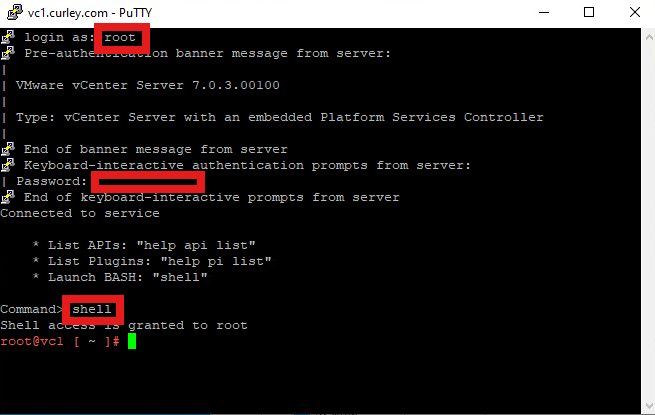
Log in using the root account > enter password > type shell > hit return to enter
Type and run the following command to display the certs in the Certificate Store:
for store in $(/usr/lib/vmware-vmafd/bin/vecs-cli store list | grep -v TRUSTED_ROOT_CRLS); do echo “[*] Store :” $store; /usr/lib/vmware-vmafd/bin/vecs-cli entry list –store $store –text | grep -ie “Alias” -ie “Not After”;done;
Here you’ll see I have an expired MACHINE_SSL_CERT in the store with alias __MACHINE_CERT

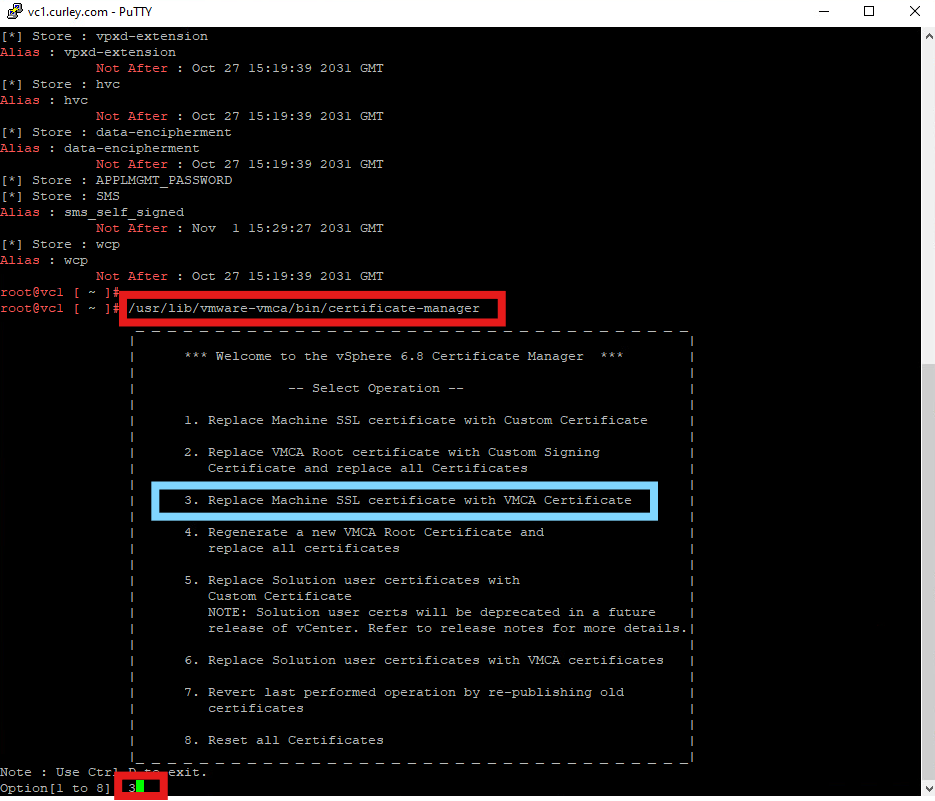
Type the following command to open the Certificate Manager:
/user/lib/vmware-vmca/bin/certificate-manager
Then select Option 3 to Replace Machine SSL certificate with VMCA Certificate
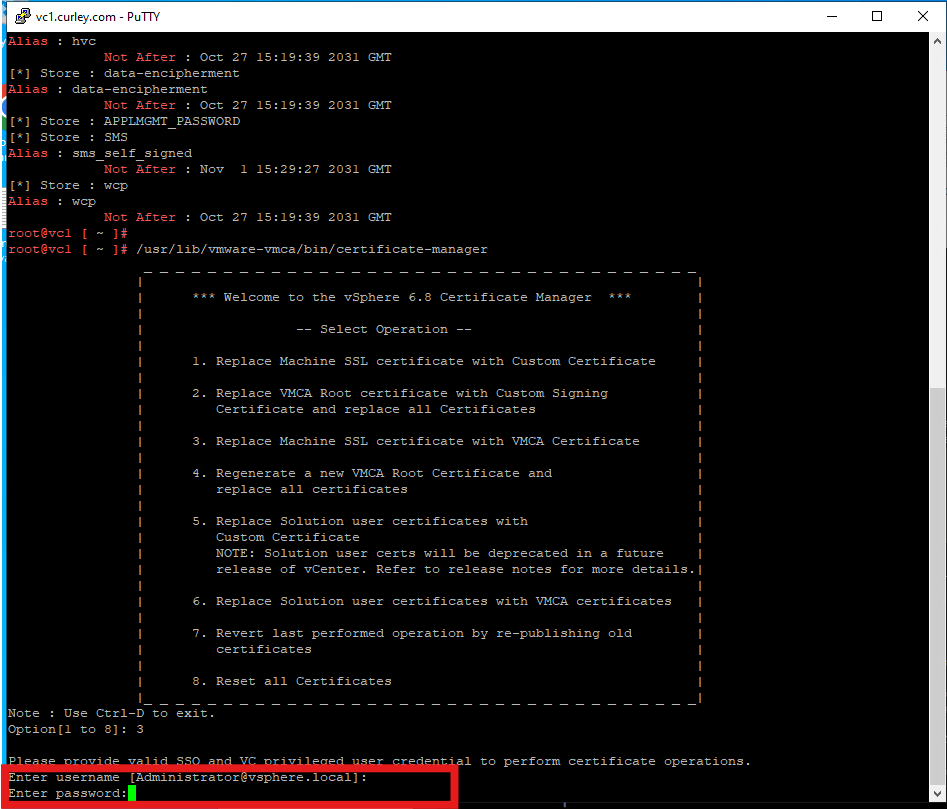
Enter your local administrator username > Enter the password > hit Return to proceed
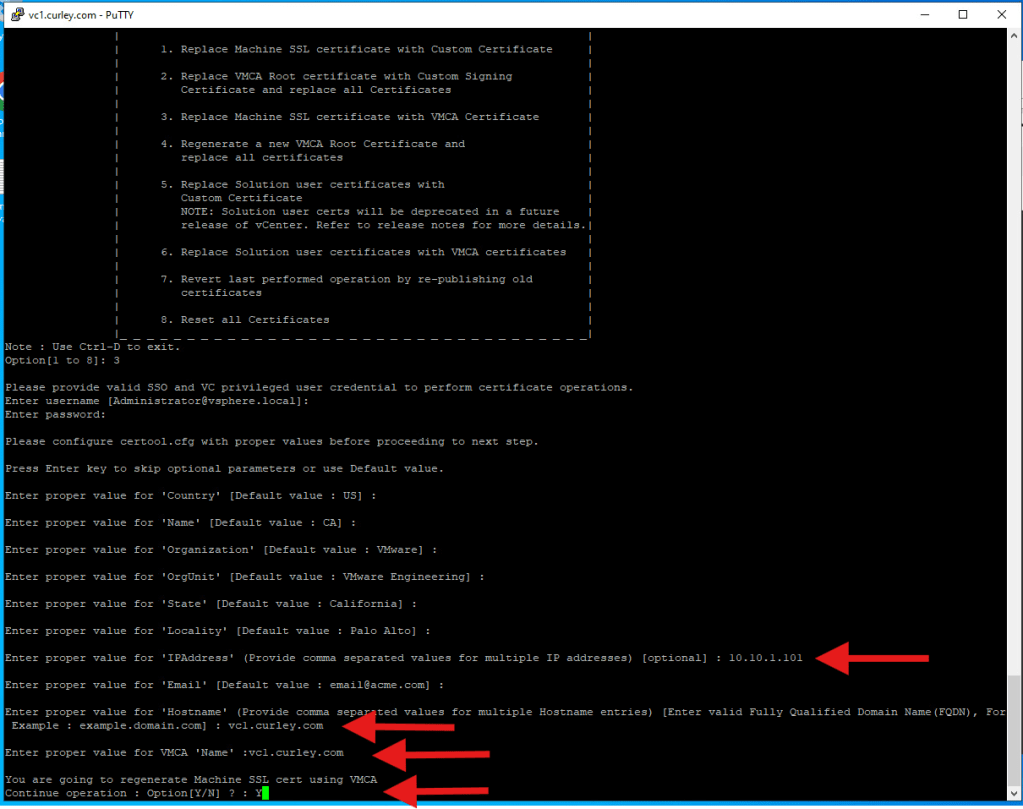
Enter your desired information for each section > hit Return until all info in entered and you’ll be informed this action will generate Machine SSL cert using VMCA > Type Y to confirm > hit Return to begin the process
Note: Here I just chose to keep the default info along with my lab vCenter details as shown below
The cert generation will begin and you can monitor the progress. The time this takes will depend on your environment but my home lab which doesn’t have too much running in it took around 5 minutes.
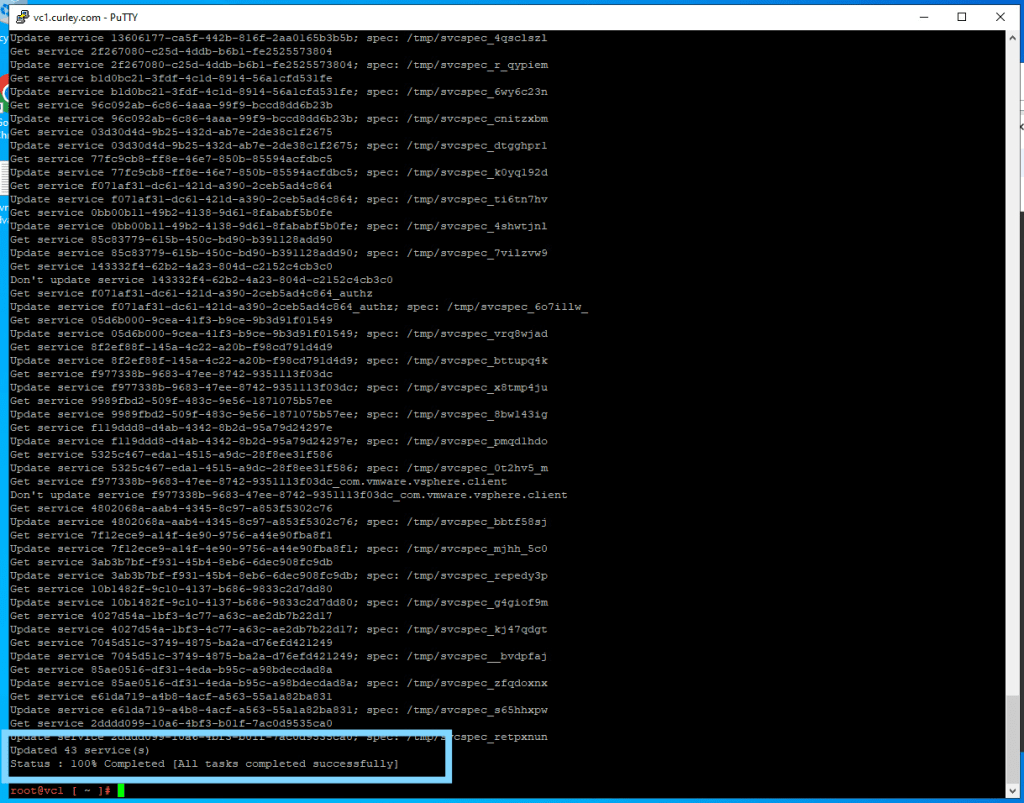
You’ll receive the following info to confirm all services have been updated and tasks have completed successfully
 Define The Data Centre