We can deactivate VMware Aria Operations High Availability which will convert the Primary Replica back to a Data Node
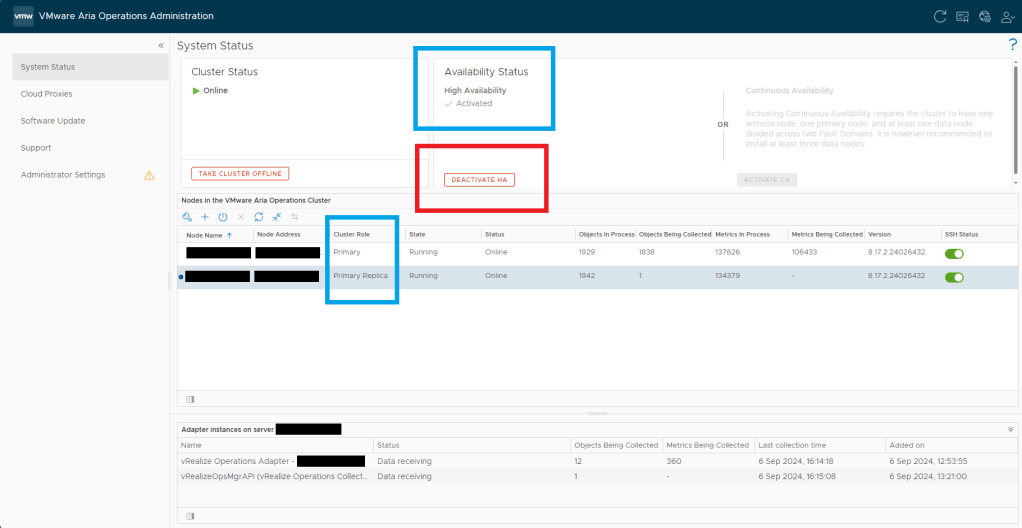
Log in to an Aria Operations Node web admin interface > Note the High Availability is Activated with a green check mark and there is a Primary Replica Cluster Node > Click Deactivate HA
Review the info on the pop up > Click Yes to proceed
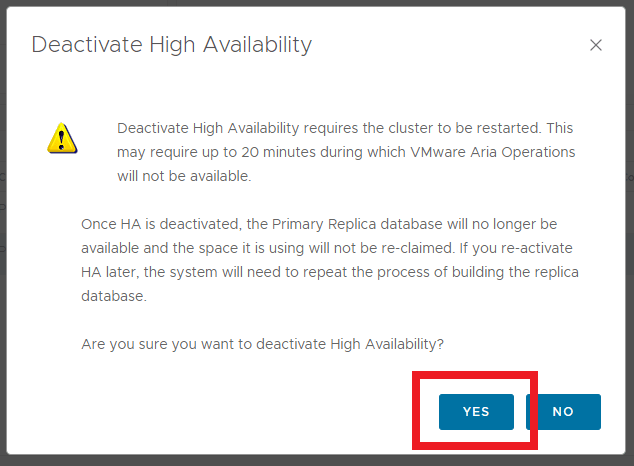
The High Availability feature will begin Deactivating

Monitor the status of both the High Availability feature and the Cluster Status within the admin interface. The Primary Replica Node will change to Not Running and Offline while the process completes

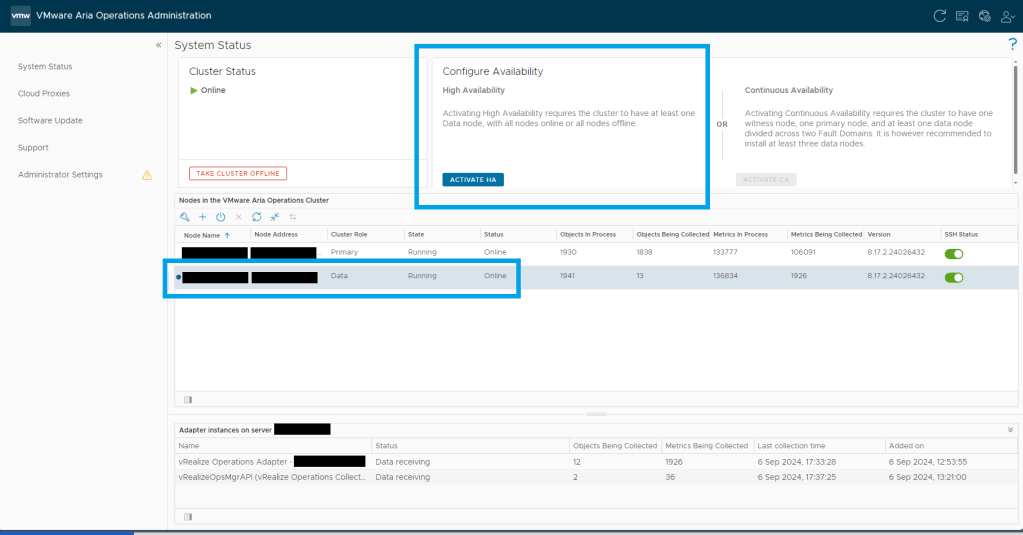
Once the Deactivation is complete, the Cluster will show Online. The Configure Availability will have the option to Activate HA again and the Node will have been changed back to a Data Node rather than a Primary Replica
 Define The Data Centre